MambaBuy warehouse photos, angle by angle
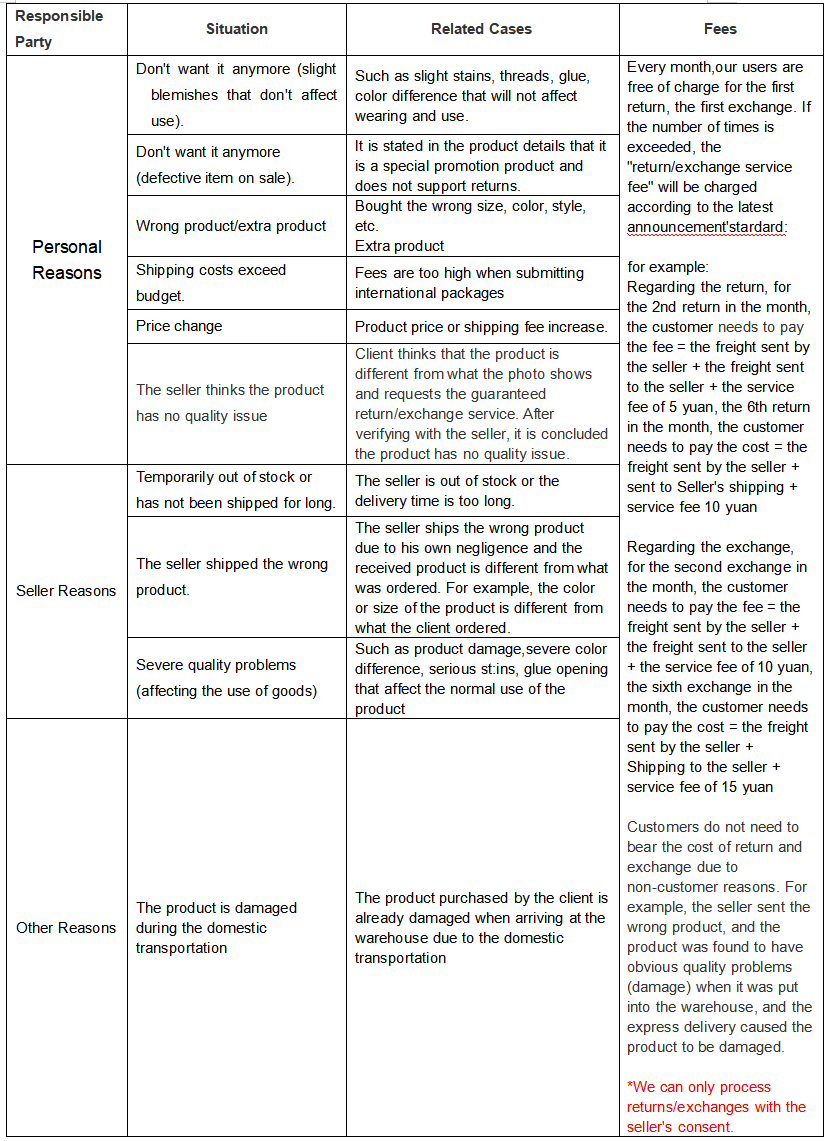
What the three free photos show for each kind of item, where to find them, what the inspection never covers, and what to do within the five days after Stored.
The three free photos, by item type
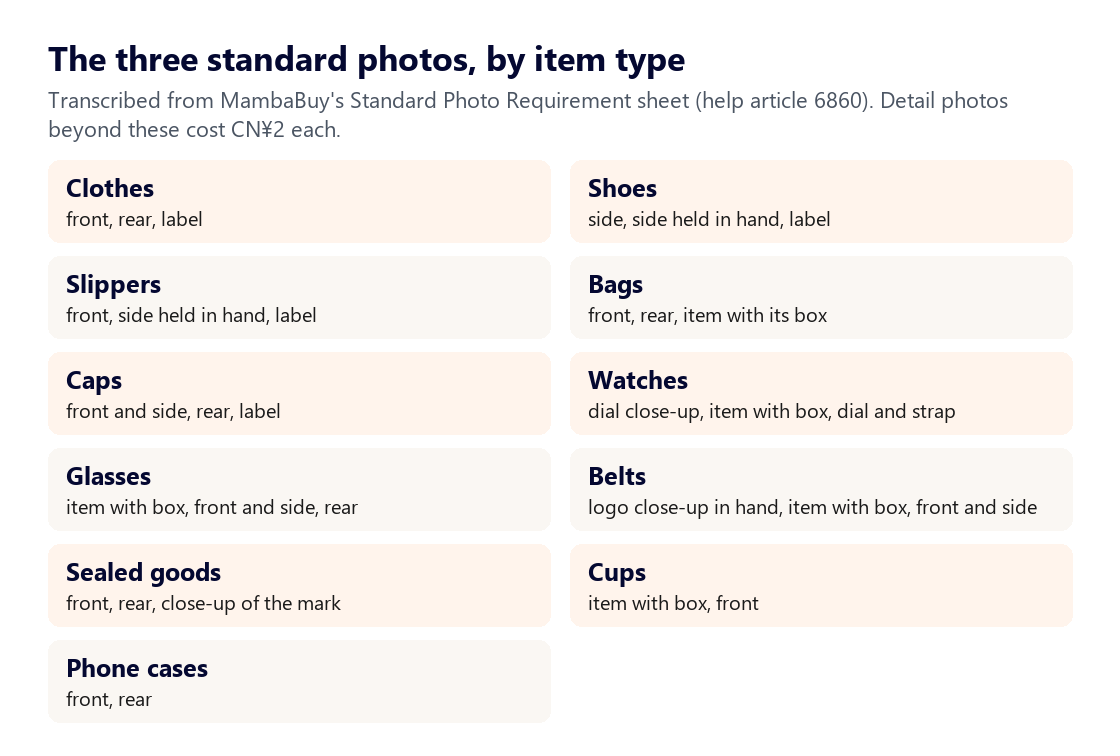
When an item is booked in, MambaBuy photographs it three times at no charge. Its photo service article says the standard set is front, back and side or logo; the Standard Photo Requirement sheet then sets angles per item type. Shoes are shot from the side, then from the side while held in a hand, then at the label. Watches get the dial close up, the watch with its box, and the dial with the strap. Phone cases get only front and rear.
For item types the chart does not list, the rule is front and back plus a close-up of the logo, label or size information.
Checking each QC photo against the listing
Here is how to read QC photos: against the listing, not against your memory of the listing. Open the marketplace page in another tab and go through this order:
- Option. Is it the colour and size you chose? The label view usually shows the size code, such as 175/92A on tops or 42 on shoes.
- Quantity. Multi-packs (socks, tees) should show every piece.
- Shape and finish. Look for loose threads, glue marks on soles, scratches on hardware and uneven print.
- Colour. Warehouse light runs cool; compare against the seller's photos taken in daylight before deciding the colour is wrong.
- Measurements. If fit matters, order a CN¥2 detail photo with a tape across the chest, waist or insole.
If something is wrong, act inside the five days. MambaBuy's tutorial says the warehouse reports problems it finds within 24 hours; anything you spot yourself needs a return or exchange request from the order page before the window closes.
Where the photos are in your account
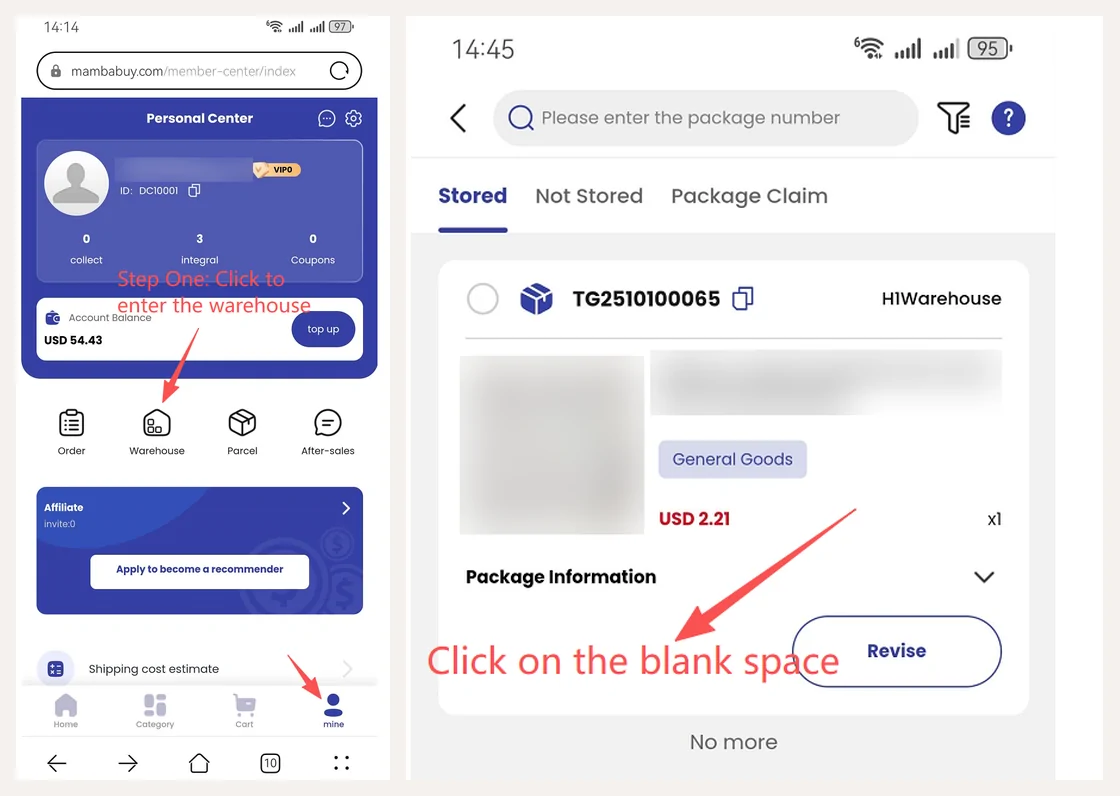
MambaBuy's photo-viewing article gives two routes. While an item is in stock, open Mine, then Warehouse, tap the item, and the photos appear under Photos in the library. After the item has been packed into a parcel, the photos move: open Mine, then Order, tap the order, and look under Quality inspection photos.
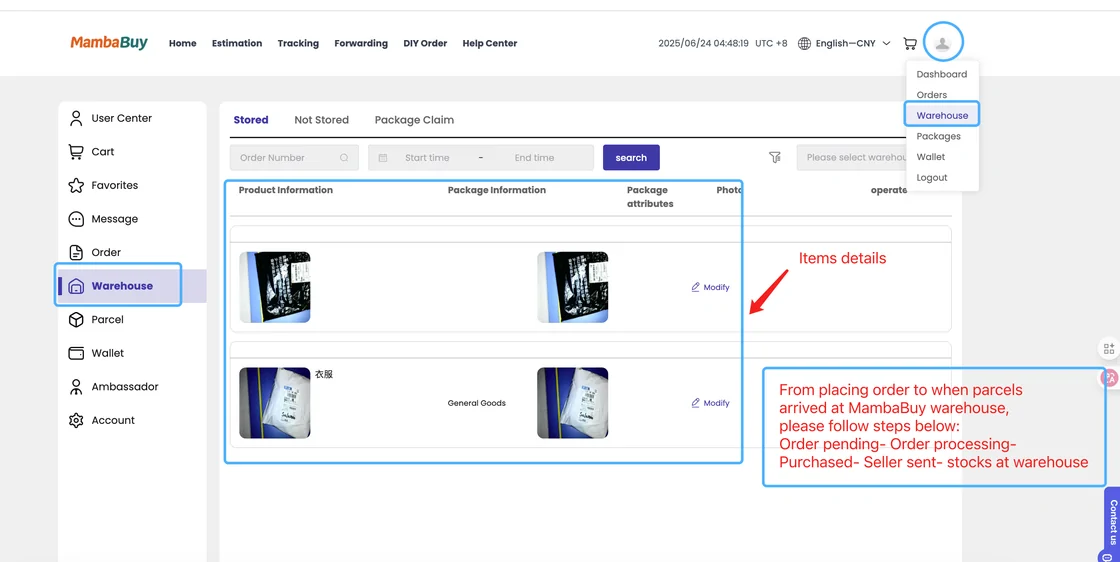
On a computer the same photos sit in the Warehouse list under each item's details.
Things the MambaBuy inspector never opens or tests
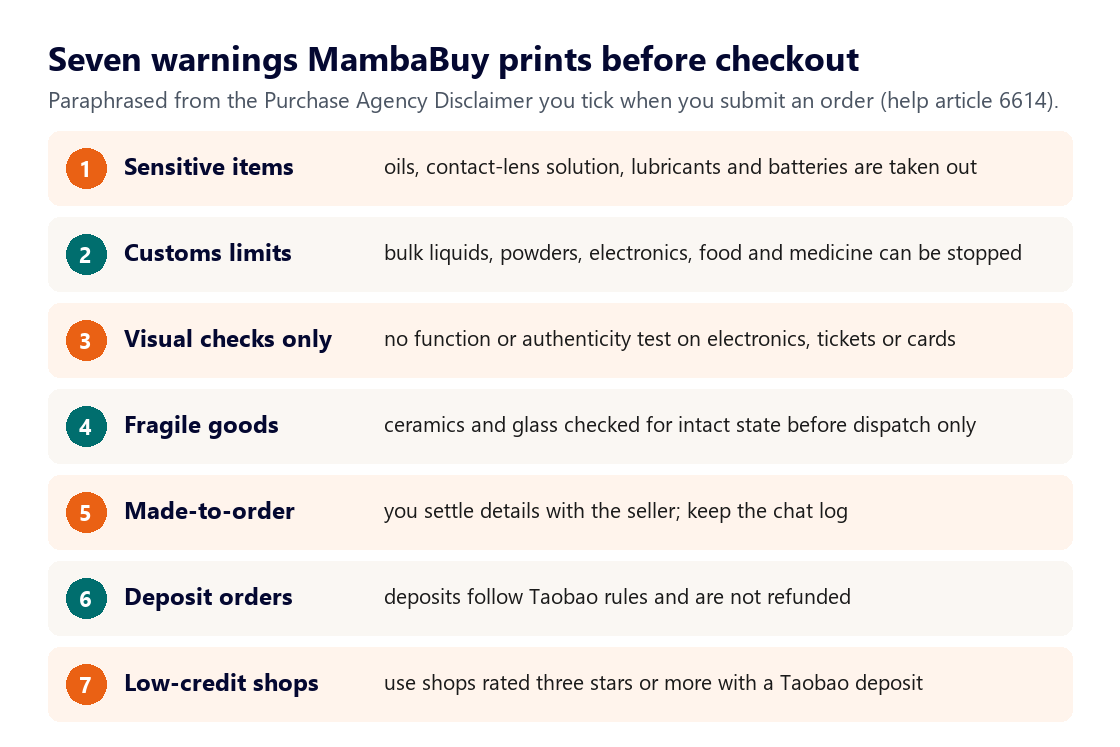
MambaBuy's inspection description lists what it checks: style, quantity, colour, size and model. It lists just as clearly what it does not: sealed goods are not opened and are judged only by the outer packaging; clothes, bags and shoes with seal labels stay sealed; and for appliances, digital goods and their accessories it checks neither authenticity nor whether they work.
The forwarding rules add that minor colour and size variances are excluded, and that if you do not buy the inspection service for a forwarded parcel, MambaBuy accepts no liability for defects that existed before delivery.
Paid photo and video extras
Detail photos cost CN¥2 each. You choose the angle and the parts to include, and the help asks you to describe the requirement clearly and give the item number if the item is already in storage. A product video of 20 to 30 seconds, normally a 360-degree turn, costs CN¥15 per item and arrives by WhatsApp or the order chat. A video of the whole packing process costs CN¥35 per parcel.
For a jacket or a pair of shoes, one detail photo of the label or a seam usually answers the question; a video is worth it for items with moving parts or a finish that photos flatten.